
Best CPU for HandBrake
Don't let an old CPU apply the handbrake to your transcoding

Share this article...

WePC is reader-supported. When you buy through links on our site, we may earn an affiliate commission. Prices subject to change. Learn more
HandBrake is arguably the best video transcoder for Mac, Linux, and Windows machines alike. It’s completely open-source, and people can use it to make videos for free. It’s an excellent post-production tool, and one that benefits from good CPU performance. So, we’ll be taking a look at the best CPUs for handbrake.
Before we get into it, remember the speed/capacity of your RAM and SSD also affect how much performance you’ll be able to get out of HandBrake. While you definitely will benefit from a good processor, don’t skimp out on RAM or storage either.
With that said, here are the best CPUs for HandBrake.
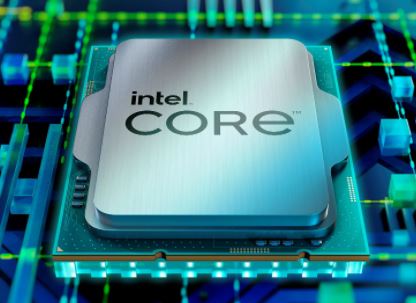
Best CPU for HandBrake – Intel Core i9 13900K

Intel Core i9-13900K

Cores
24
Threads
32
Base speed
P-cores 3 GHz / E-cores 2.2 GHz
Boost speed
P-cores 5.8 GHz / E-cores 4.3 GHz
Cache
36MB
TDP
125 W / 253 W boost.


Specs:
- Speed: 5.8GHz
- Cores/Threads: 24/32
- Socket: LGA1700
- TDP: 125W
In terms of overall performance, the Intel Core i9 13900K is insanely hard to beat right now. You’re getting 24 cores, 32 threads, and a crazy high boost clock of up to 5.8GHz. Needless to say, its performs quite well in Handbrake. It’s also the best processor out right now for video editing in general.
Of course, it is expensive and hard to cool. You’ll also need fast DDR5 memory and a decent PCIe Gen 4 drive to fully take advantage of your high-end workstation. However, the payoff is well worth it. In the end, you’ll end up with a workstation that won’t let you down for years to come.
Sure, it’s an expensive investment, but for professional video editors who use Handbrake daily, it’s a no-brainer. If you can stomach the costs, then go for this i9 processor. It will easily handle anything you want to throw at it.
Best Budget CPU for Video Editing – Intel Core i5 13600K

Intel Core i5-13600K

Cores
14
Threads
20
Base speed
P-cores 3.5 GHz / E-cores 2.6 GHz
Boost speed
P-cores 5.1 GHz / E-cores 3.9 GHz
Cache
20MB
TDP
125 W / 181 W boost.
Specs:
- Speed: 5.1GHz (Boost Clock)
- Cores/Threads: 14/20
- Socket: LGA1700
- TDP: 125W
So, if you don’t want to spend an insane amount of money on the 13900K, then the 13th Gen Core i5 is still a great option. You’ll still get excellent performance thanks to the turbo speed and high core count. Just make sure you pair it with fast DDR5 memory and PCIe Gen 4 storage to get the best performance possible.
With a combo like that, you’re well on your way to building a workstation build that is not only high on performance but also on value. We can’t help recommend the 13600K enough.
Final Word
In conclusion, the Core i9 13900K is the best CPU for HandBrake right now. It’s fast, extremely powerful, and overclockable. However, the 13600K is also a great budget choice, especially when paired with fast DDR5 memory.


